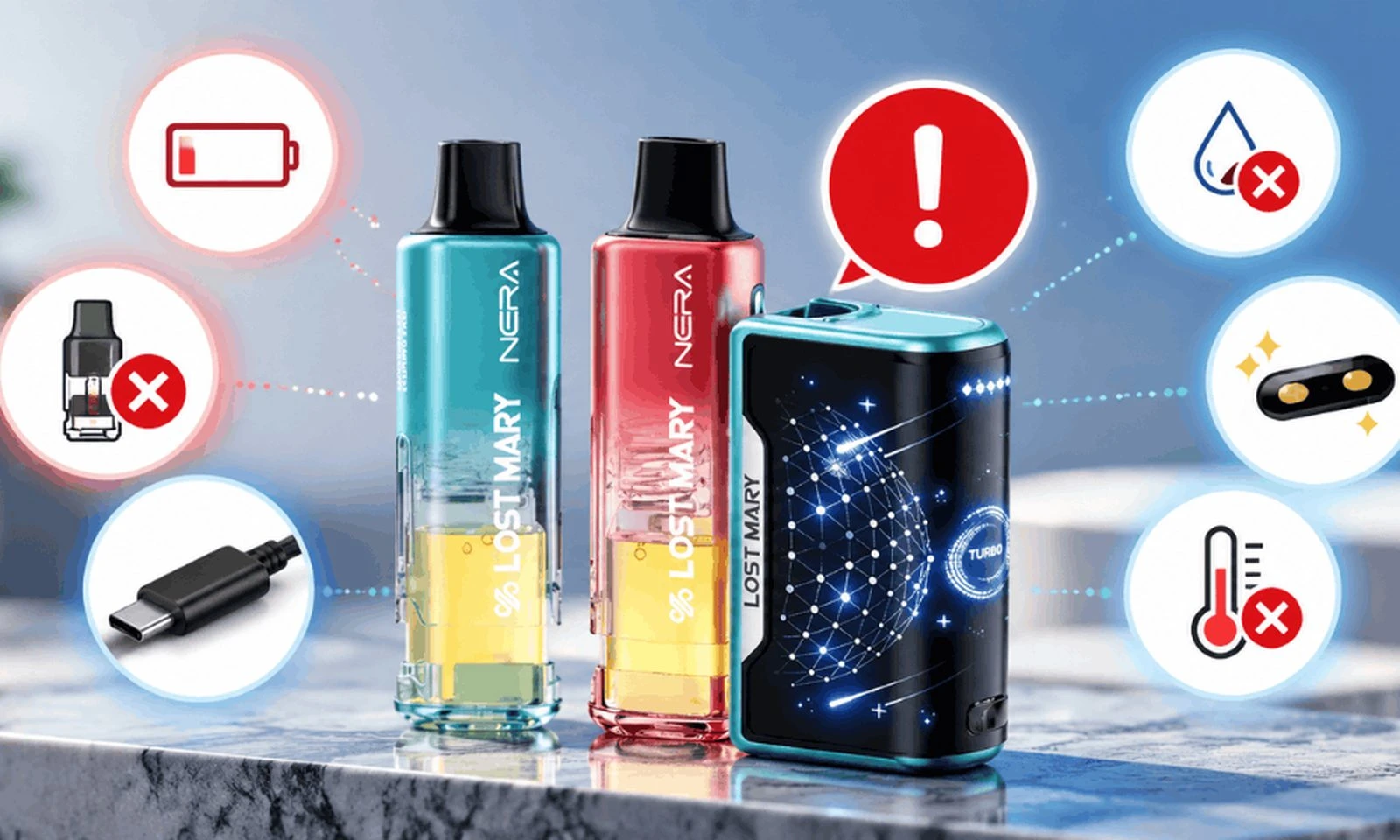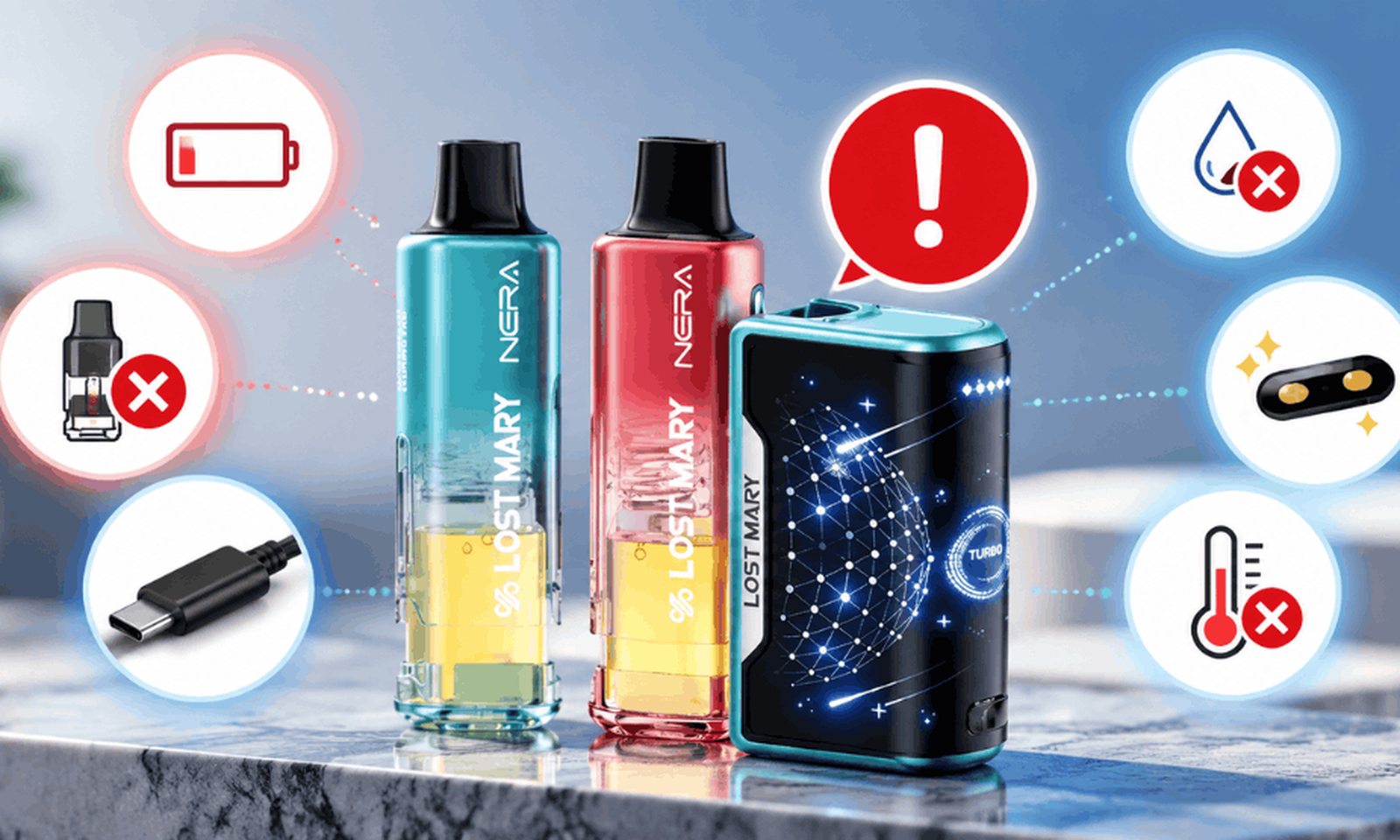
If you're wondering why your Lost Mary Nera FullView is not working, the problem is usually easier to fix than it first appears. A drained battery, unremoved pod seals, a loose pod connection, an empty pod, blocked airflow, or the wrong power mode can all stop the device from working normally.
In most cases, you can get your Lost Mary Nera FullView working again by charging the battery, checking the pod connection, removing protective seals, inspecting the e-liquid level, and clearing the airflow path. This guide walks you through the most common symptoms, likely causes, and safe fixes.
Quick Answer: Why Is My Lost Mary Nera FullView Not Working?
Your Lost Mary Nera FullView may stop working because the battery is low, the pod is not seated correctly, protective seals are still attached, the pod is empty, airflow is blocked, or the device needs a different power setting. Start by charging it, removing and reseating the pod, checking the liquid window, cleaning the mouthpiece and contacts, and then testing it again with a slow, steady draw.
Key Takeaways
- A low or drained battery is one of the first things to check.
- The pod must sit firmly against the device contacts to work correctly.
- Check the transparent e-liquid window before assuming the device is defective.
- Condensation or debris can block airflow and prevent the draw sensor from activating properly.
- Weak vapor may be related to battery level, power mode, or draw technique rather than a hardware failure.
- If the device is swollen, leaking heavily, unusually hot, or smells like burning plastic, stop using it.
Explore Our Categories



60-Second Lost Mary Nera FullView Troubleshooting Guide
Use this table to match what your device is doing with the most likely cause and first fix to try.
| Problem | Likely Cause | First Fix to Try |
|---|---|---|
| No vapor and no screen | Drained battery | Charge with a suitable USB-C cable and standard adapter |
| Won't fire after charging | Loose pod or dirty contacts | Remove the pod, wipe the contacts, and reseat it firmly |
| Burnt or harsh taste | Low e-liquid or repeated back-to-back puffs | Check the liquid window and pause between draws |
| Nera FullView not hitting | Blocked airflow | Clean the mouthpiece and check for condensation |
| Weak or thin vapor | Low battery or power setting | Recharge and check the active power mode |
| Cuts out during a draw | Draw technique or safety cutoff | Use a shorter, steady draw |
| Screen flashes | Battery, pod connection, or device temperature | Let it cool, clean the contacts, and reseat the pod |
| Still doesn't work | Possible pod or device fault | Test another compatible pod or contact your retailer |
How Your Lost Mary Nera FullView Works
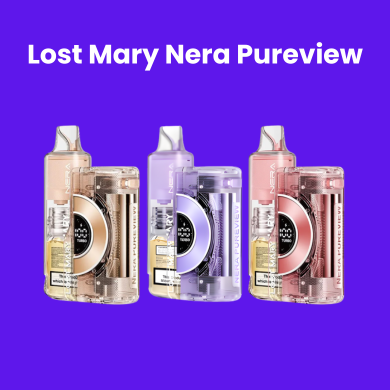
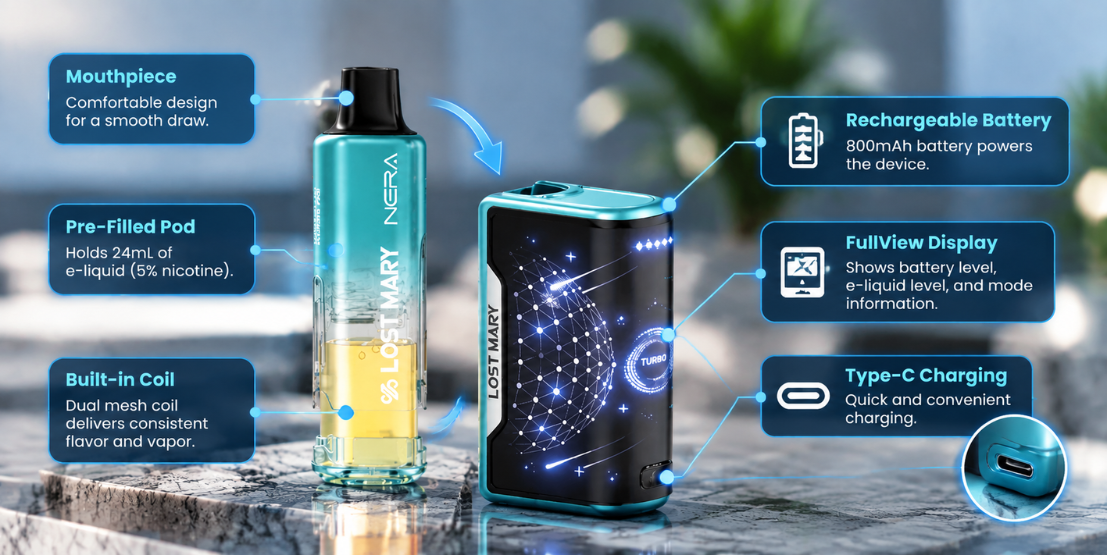
Before troubleshooting your device, it helps to understand that the Nera FullView is different from a traditional sealed disposable. The system has separate battery and pod components that need to connect correctly.
- Battery unit: Contains the rechargeable battery, display, airflow sensor, controls, and USB-C charging port.
- Pod: Contains the prefilled e-liquid and coil assembly and connects to the battery through contact points.
Because the two sections work together, a device that appears completely dead may simply have a connection problem between the pod and battery.
8 Reasons Your Lost Mary Nera FullView Is Not Working
1. The Battery Is Drained
A low battery is one of the first things to rule out when your Lost Mary Nera FullView does not respond. Rechargeable devices can arrive with little charge or gradually lose charge while sitting unused.
Signs to look for:
- The screen remains blank.
- Nothing happens when you inhale.
- Vapor becomes noticeably weaker.
Fix: Connect the device to a suitable USB-C cable and standard power source. If the battery is deeply discharged, the display may take a few minutes to respond. Allow it to charge before testing the device again.
2. The Pod Isn't Seated Properly
The battery and pod communicate through small contact points. If the pod is slightly loose, contaminated with moisture, or not fully attached, the device may fail to detect it.
Fix:
- Remove the pod completely.
- Inspect the contacts on the pod and battery.
- Wipe away moisture or residue with a dry tissue or cotton swab.
- Reinsert the pod firmly so it sits correctly in the device.
Never force a pod into the battery. Use only pods intended for the Nera FullView system.
3. Protective Seals Were Not Removed
A new Nera FullView pod may include protective packaging, a sticker, plug, or other seal designed to prevent leaking during storage and shipping. If one remains in place, airflow or electrical contact may be interrupted.
Fix: Remove the pod and inspect it carefully. Make sure all packaging, plugs, stickers, and protective films intended for removal have been taken off before reinserting the pod.
4. The Pod Is Empty or Running Low
The transparent section of the Nera FullView makes it easier to check the remaining liquid. If vapor becomes weak, dry, or harsh, inspect the e-liquid level before troubleshooting the battery.
Fix: If the pod is empty, stop using it and replace it with a compatible Lost Mary Nera FullView pod . Do not attempt to pry open or refill a sealed pod.
5. You're Taking Puffs Too Quickly
Repeated back-to-back draws can temporarily reduce performance because the wick needs time to absorb liquid between puffs. If it cannot keep up, vapor may become weaker or taste harsh.
Fix: Give the device a short pause between draws and avoid unusually long continuous pulls.
6. The Airflow Is Blocked
The Nera FullView uses draw activation. If condensation, lint, or debris blocks the mouthpiece or airflow path, the airflow sensor may not detect your inhale correctly.
Fix:
- Inspect the mouthpiece for visible debris or moisture.
- Wipe the opening gently with a dry cotton swab or tissue.
- Lightly tap the mouthpiece against your palm to loosen condensation.
- Store the device upright when possible.
7. Check Your Power Mode
The Nera FullView offers different power settings. If your device is working but the vapor seems weaker than expected, check the mode shown on the display.
A higher-output mode may produce stronger vapor but can also use battery and e-liquid faster. If the device seems weak, first confirm that the battery has enough charge before assuming there is a hardware problem.
8. Your Draw Technique or Screen Is Causing Confusion
Draw-activated devices respond best to a consistent inhale. Extremely short, light draws may not activate the system reliably, while very long draws may trigger a safety cutoff.
Fix: Try a smooth, steady draw lasting a few seconds. If the screen remains blank, recharge the battery. If the screen flashes, inspect the pod connection, battery level, and whether the device feels unusually warm.
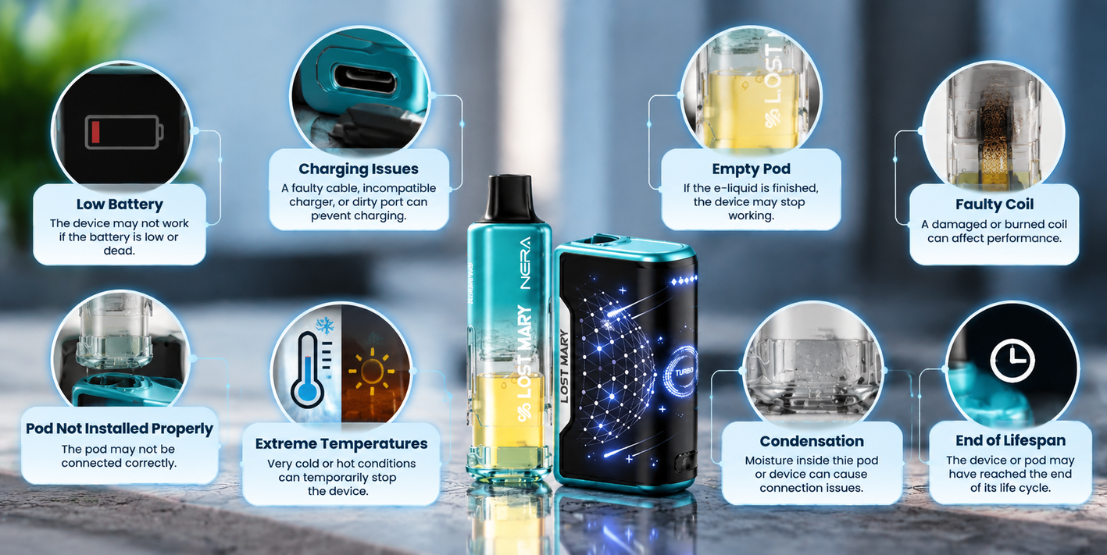
Try These Lost Mary Nera FullView Fixes in Order
- Check the visible e-liquid level in the pod.
- Make sure all protective plugs, stickers, or seals have been removed.
- Remove the pod and wipe its contact points dry.
- Reinsert the pod firmly.
- Inspect and clean the mouthpiece and airflow openings.
- Connect the battery to a suitable USB-C charger.
- Let the device cool if it feels unusually warm.
- Take one slow, steady draw to test it.
- If available, test another compatible Nera FullView pod.
Still not working? If another compatible pod also fails after charging and cleaning the contacts, the battery unit or another internal component may need retailer support.
What to Do If Your Lost Mary Nera FullView Screen Is Blank
A blank display usually points to a low battery, but it can also occur when the device is not responding normally.
Try this:
- Connect the device to a suitable USB-C charging source.
- Give a deeply discharged battery several minutes to respond.
- Inspect the charging cable and port for visible damage.
- Remove and reseat the pod after charging.
- Test the device with a steady draw.
If the display remains completely blank after an appropriate charging attempt and the device produces no vapor, contact the retailer rather than opening or repairing the battery yourself.
Why Is My Lost Mary Nera FullView Flashing?
A flashing display does not always mean the device has failed. Possible causes include a low battery, an improperly connected pod, heavy use, or the device needing time to cool.
Remove the pod, allow the unit to rest briefly, wipe the contacts, and reinstall the pod. If the problem continues, testing another compatible pod can help determine whether the issue is with the pod or battery unit.
Why Is My Lost Mary Nera FullView Not Hitting?
If the screen responds but you get little or no vapor, focus first on airflow and the pod connection. The device relies on airflow to detect your inhale, so condensation or debris can interfere with activation.
Clean the mouthpiece, inspect the air path, reseat the pod, check the e-liquid level, and try a smooth, steady draw.
What Not to Do When Your Nera FullView Stops Working
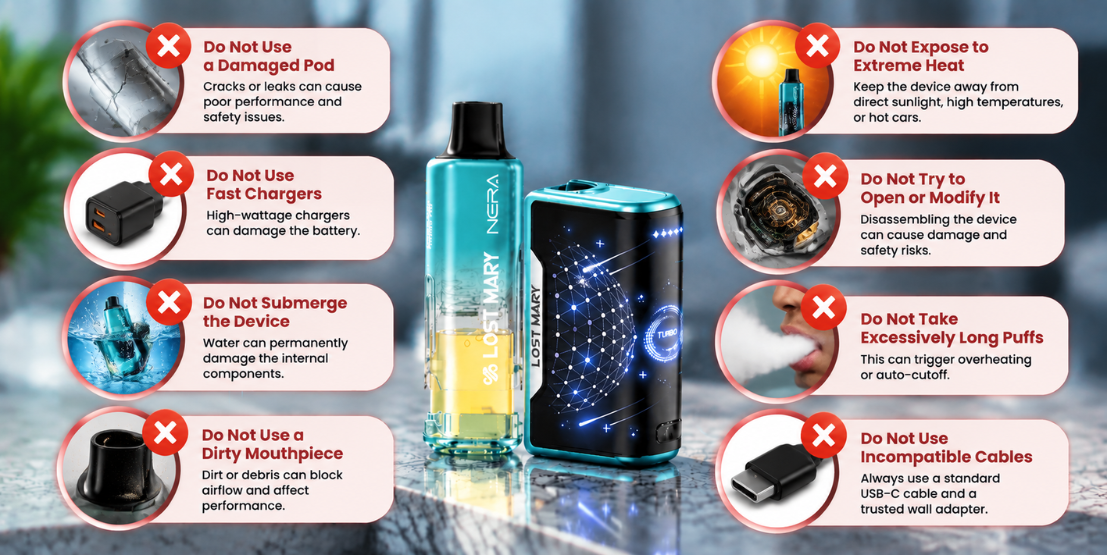
Avoid risky troubleshooting shortcuts that could damage the device or its battery.
- Don't open the battery unit or attempt internal repairs.
- Don't use damaged charging cables.
- Don't charge near water, heat, bedding, or flammable materials.
- Don't refill or pry open sealed pods.
- Don't continue using a heavily leaking or unusually hot device.
- Don't use a swollen or physically damaged battery.
- Don't expose the device to extreme heat or freezing conditions.
When Should You Contact the Retailer?
If you've charged the device, confirmed that the pod contains e-liquid, cleaned and reseated the pod, cleared the airflow, and tested another compatible pod without success, the device may have a fault that cannot be fixed by normal troubleshooting.
You should also contact the retailer if the device arrived damaged, stopped working shortly after purchase, or shows signs of battery or charging-port damage.
Don't disassemble the device. The battery, charging system, display, and airflow sensor are not intended to be repaired by the user.
Frequently Asked Questions
Why Is My Lost Mary Nera FullView Not Working?
Common causes include a drained battery, a loose pod, protective seals that have not been removed, an empty pod, blocked airflow, or poor contact between the pod and battery. Charge the device, check the pod, clean the contacts, inspect the e-liquid level, and clear the mouthpiece.
Why Is My Lost Mary Nera FullView Not Producing Vapor Even Though It's Charged?
A charged Nera FullView may still fail to produce vapor if the pod is loose, empty, or not making proper contact, or if the airflow path is blocked. Remove and reseat the pod, check the liquid window, and clean the mouthpiece.
Why Is My Lost Mary Nera FullView Not Hitting?
Blocked airflow, condensation, a poorly seated pod, or an unusually light draw can prevent the device from activating correctly. Clean the mouthpiece, reseat the pod, and try a smooth, steady draw.
Why Is My Lost Mary Nera FullView Screen Not Working?
A blank screen often indicates a critically low battery. Connect the device to a suitable USB-C charger and allow several minutes for a deeply discharged battery to respond. If the display remains blank after charging, contact your retailer.
Why Is My Lost Mary Nera FullView Flashing?
Flashing can be related to a low battery, pod connection problem, heavy use, or the device needing time to cool. Let it rest briefly, clean the pod contacts, reseat the pod, and recharge if necessary.
Why Does My Lost Mary Nera FullView Taste Burnt?
A burnt or harsh taste can occur when the pod is low on e-liquid or repeated draws do not give the wick enough time to absorb more liquid. Check the liquid window and replace an empty pod.
Can I Refill a Lost Mary Nera FullView Pod?
The Nera FullView pods are designed as prefilled pods. Do not pry them open or attempt to refill them with outside e-liquid, as doing so can cause leakage or damage.
Can I Use Other Lost Mary Pods in the Nera FullView?
Use pods specifically designed for the Nera FullView system. Other Lost Mary pod styles or third-party pods may not fit or connect correctly.
What Should I Do If My Nera FullView Still Doesn't Work?
If charging, cleaning, reseating the pod, clearing the airflow, and testing another compatible pod do not solve the problem, contact the retailer for support. Do not open or attempt to repair the battery unit yourself.
The Bottom Line
When your Lost Mary Nera FullView is not working, start with the simple fixes: check the battery, confirm the pod is installed correctly, remove any protective seals, check the e-liquid level, and clear condensation or debris from the airflow path.
If those steps don't work, try another compatible pod. A device that still does not respond after charging and troubleshooting may require retailer support rather than further DIY repair.
Explore Lost Mary Nera products and compatible Nera FullView pods at Lost Mary Direct.
WARNING: This product contains nicotine. Nicotine is an addictive chemical. For adults 21+ only.
Still having trouble with your Lost Mary Nera FullView? Visit our blog section , shop Lost Mary Nera FullView , or email us at support@lostmarydirect.com .